Product tour
Walk through a benefits check.
Real Quick VOB screens, with a made-up caller, a sample card and demo insurance. Click the highlighted spot to go on, or use Next, the arrow keys or a swipe.
A benefits check in Quick VOB
A made-up caller, a sample insurance card, and demo insurance: from the card photo to the authorization. 8 steps.
-
Step 1 of 8
Every check, on your phone
Quick VOB keeps every benefits check, newest first, with who's active and which authorizations end soon.
-
Step 2 of 8
Snap the insurance card
Take a photo of the card. The name, insurance company, payer ID and member ID fill in. Check them and add the birth date.
-
Step 3 of 8
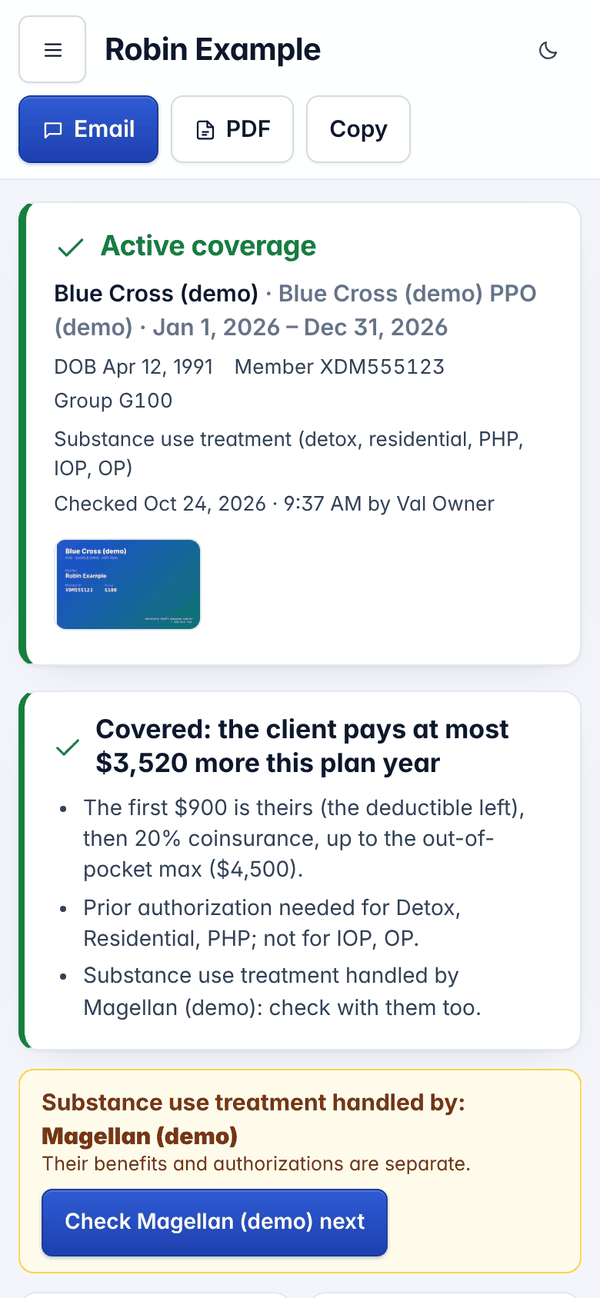
The answer, in about a minute
Active or not, the plan dates, and the bottom line in plain words. A carve-out, like substance use handled by another company, is flagged with its check one tap away.
-
Step 4 of 8
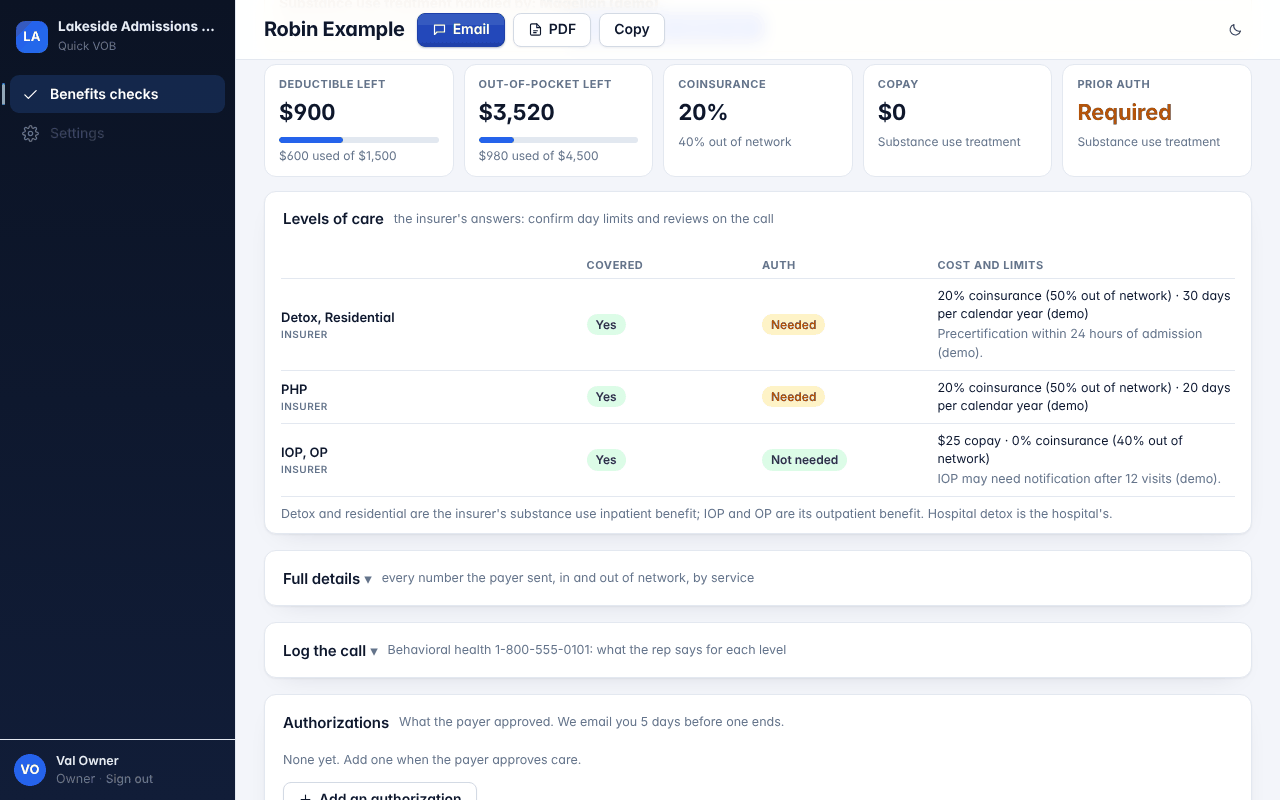
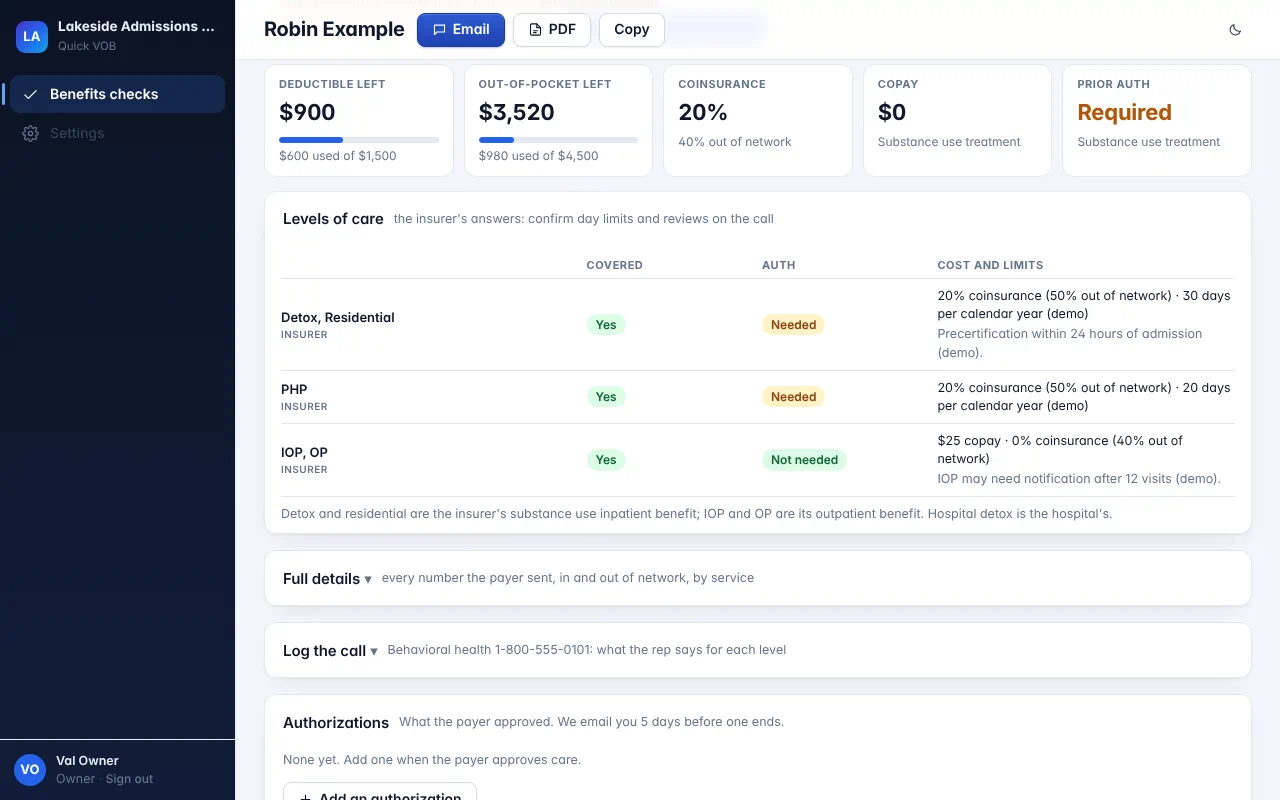
The money and every level of care
Deductible and out-of-pocket left, coinsurance, copay and prior auth. Below, detox, residential, PHP, IOP and OP side by side: covered or not, auth needed or not, cost and day limits.
Open the full-size screen -
Step 5 of 8
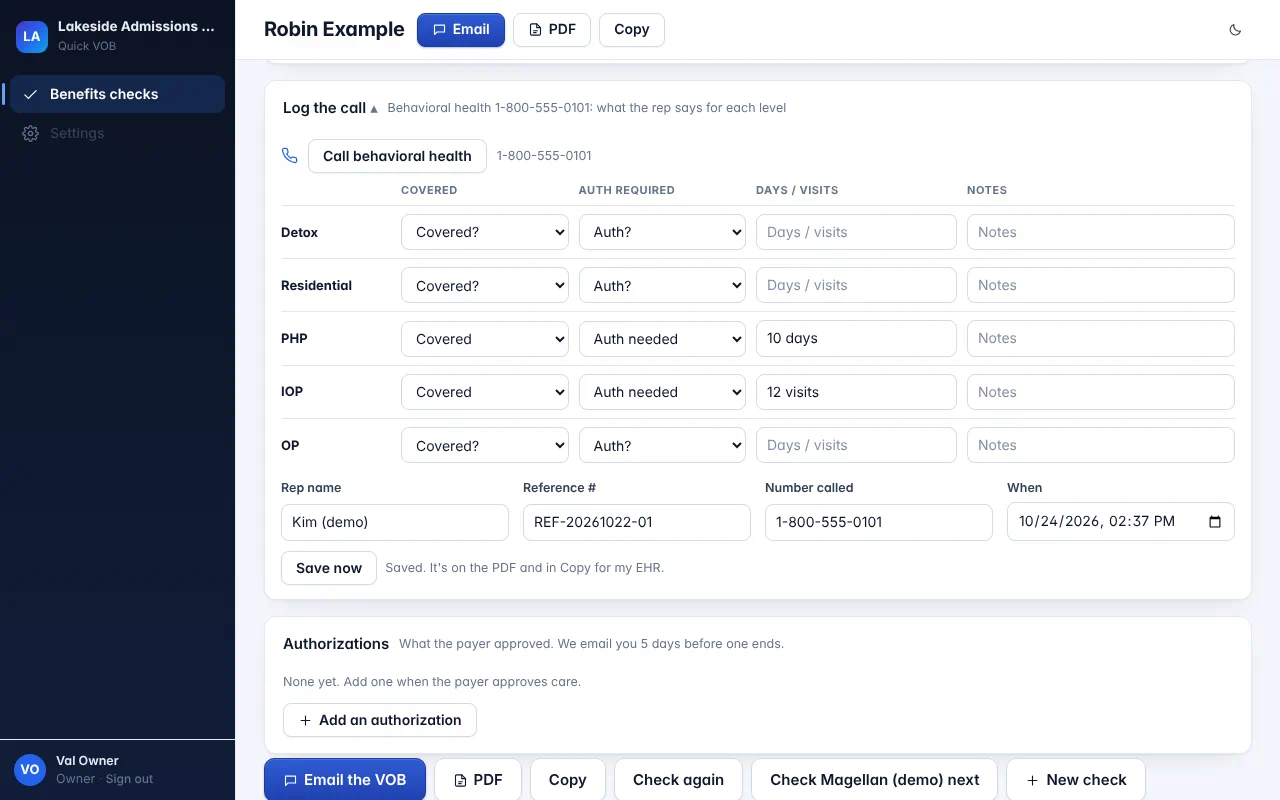
Log the call
Payers rarely send level-of-care details electronically. Log what the rep said for each level, with their name and reference number. It saves as you type.
Open the full-size screen -
Step 6 of 8
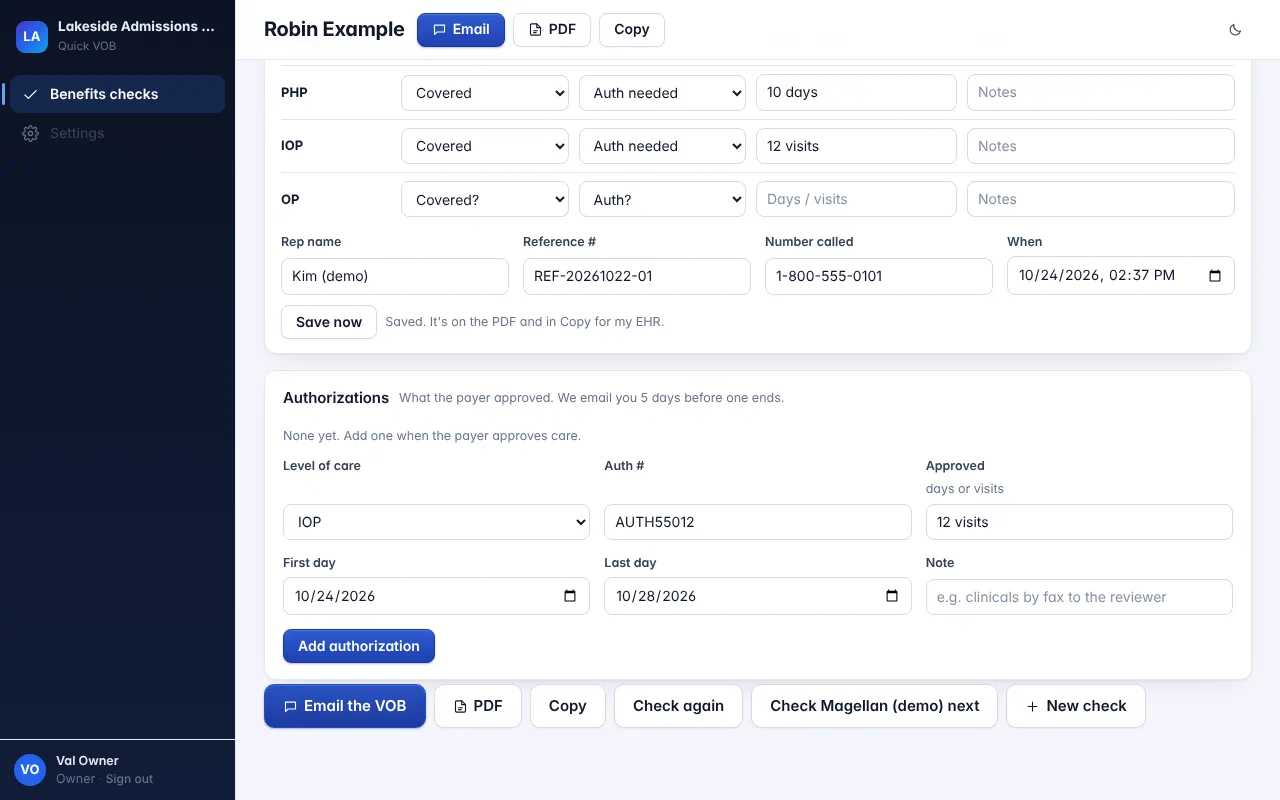
Add the authorization
When the payer approves care, add the authorization: level, number, units and dates.
Open the full-size screen -
Step 7 of 8
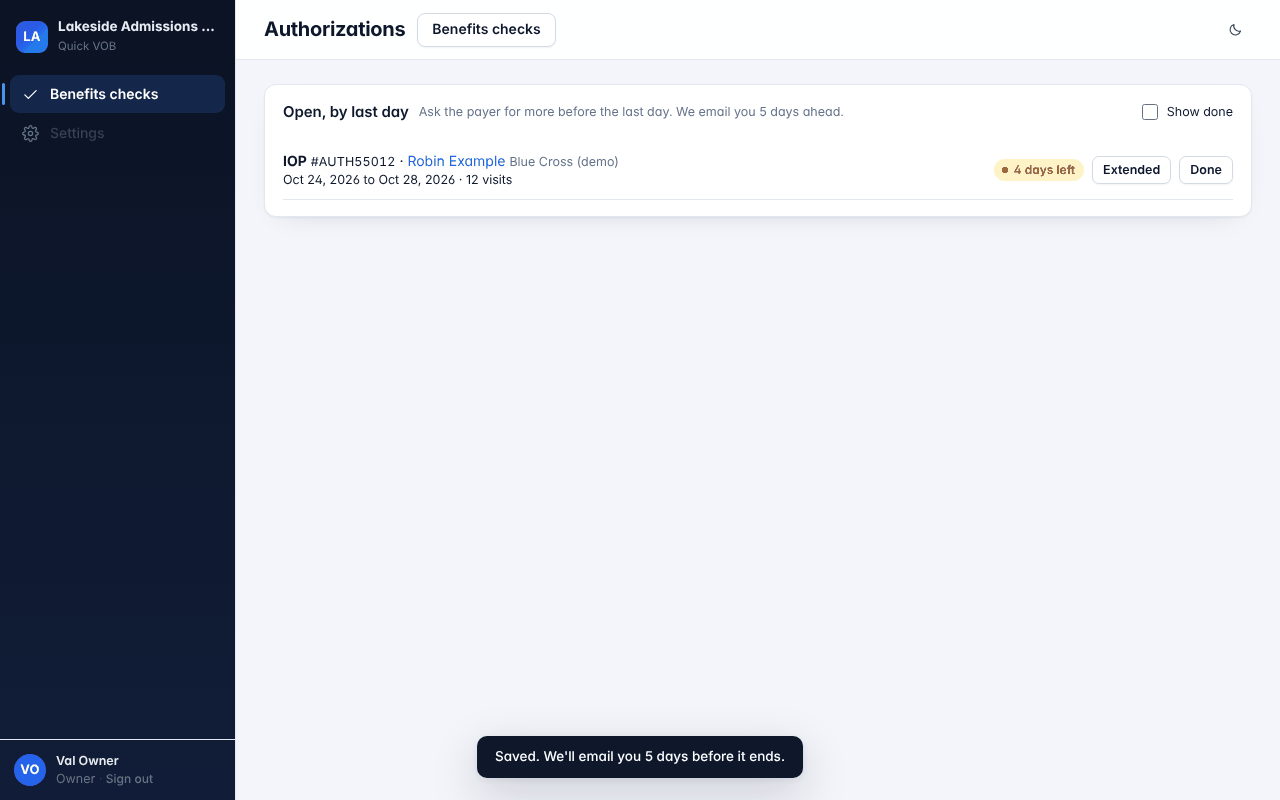
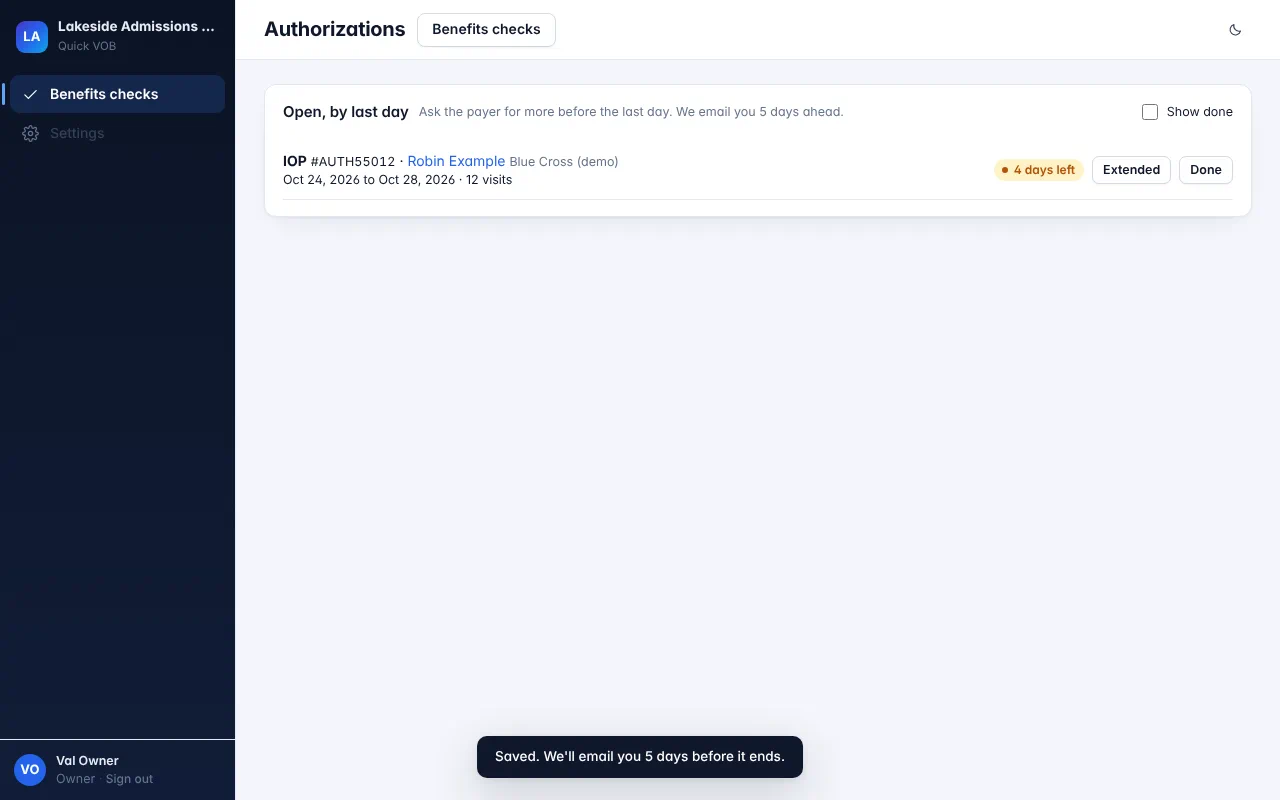
No lost authorizations
Every open authorization, by last day. We email you 5 days before one ends, in time to ask for a continued stay.
Open the full-size screen -
Step 8 of 8
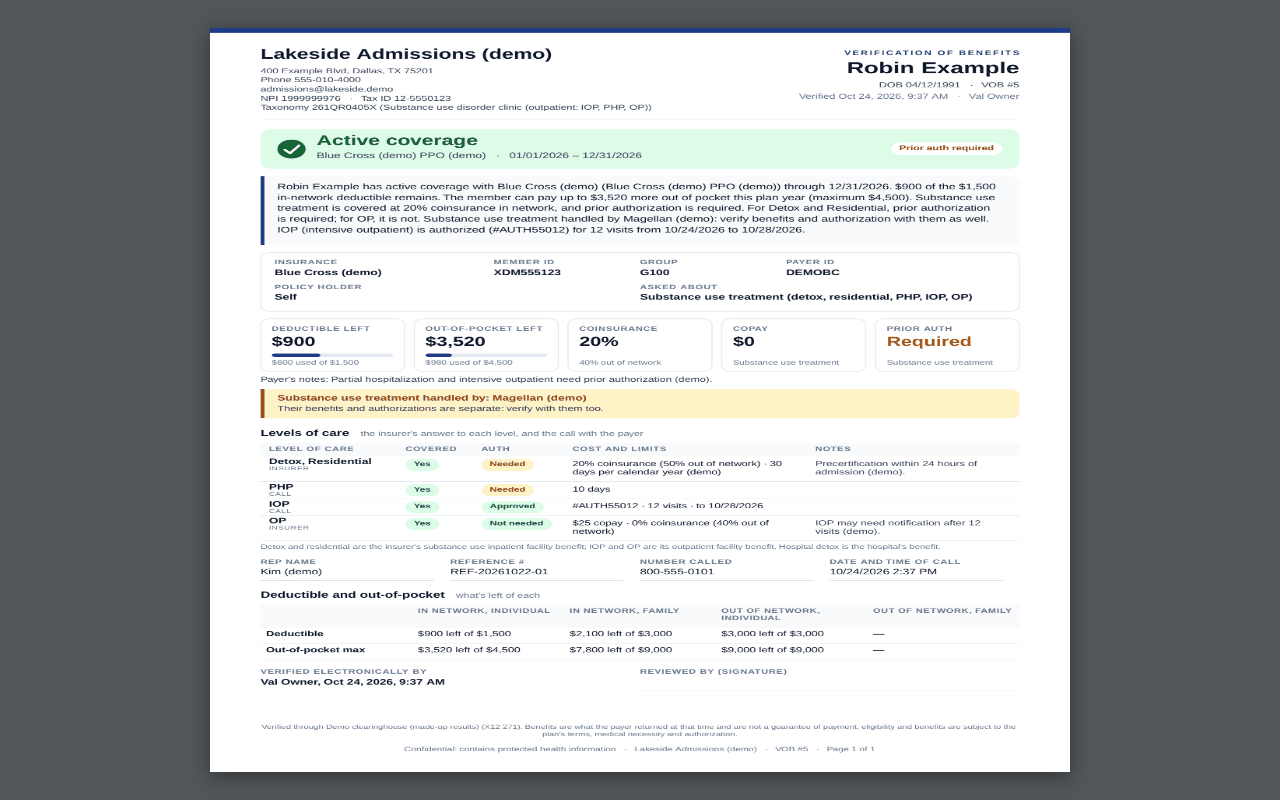
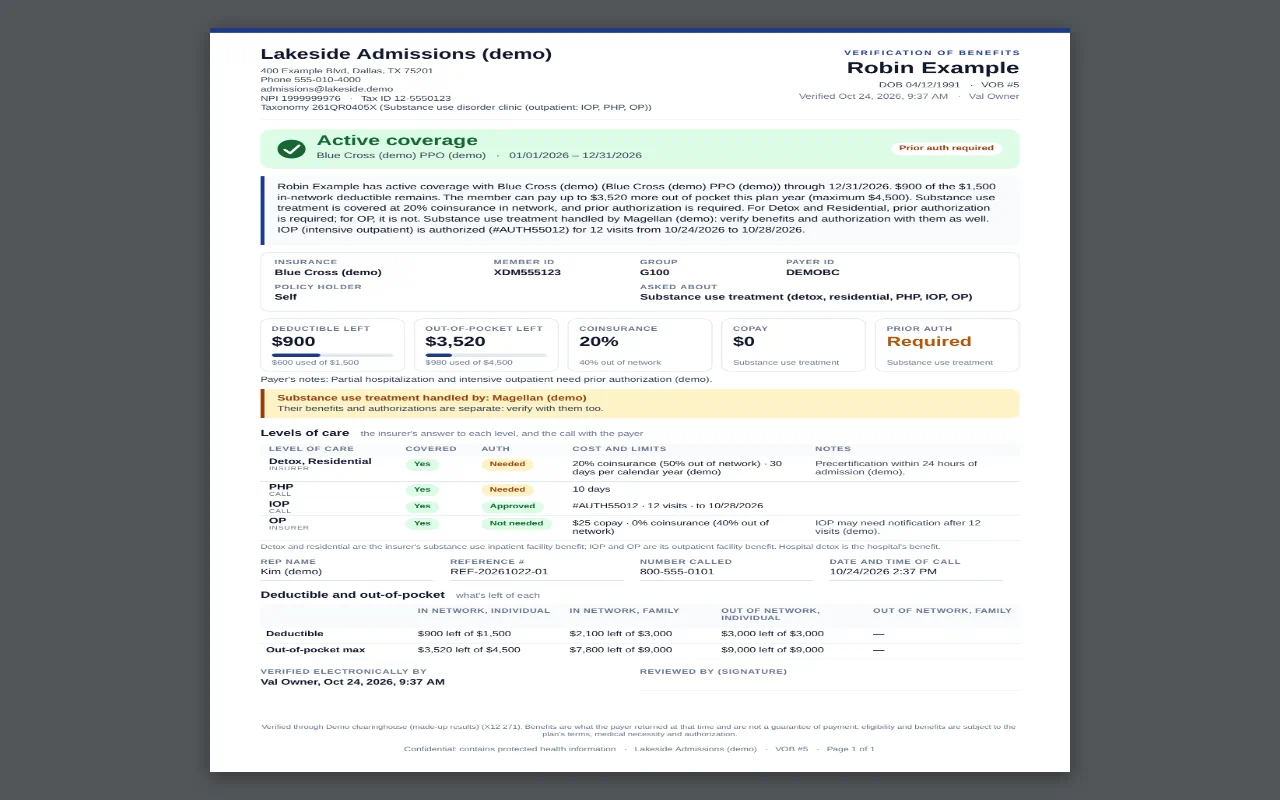
A clean VOB for the chart
The benefits, the call and the authorizations on one PDF. Email it, or copy it into your EHR's VOB note in one tap.
Open the full-size screen That's a check, start to finish.
Card photo to benefits in about a minute, the call by level of care, and the authorization tracked to its last day. $99 a month for the whole team.


Your next admission, verified before they hang up.
Free for 30 days. No card needed to start.
Get early access